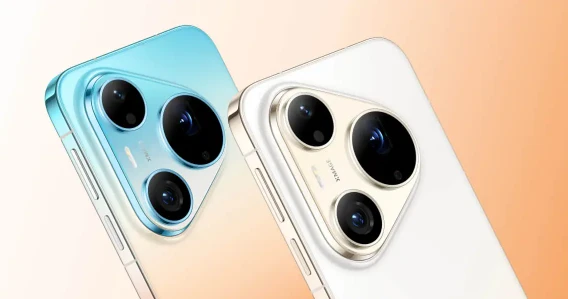
No Editing Skills Needed: One-Tap AI Creation on Huawei Pura 90s Series
Creating eye-catching social media content sounds easy, but most beginners run into the same frustrating hurdles. You take dozens of photos on a trip or daily outing, only to end up with awkward poses, messy framing, dull colors, and no clue how to edit them properly. Learning professional editing apps takes hours of practice, and buying preset filters costs extra money. For casual creators, students, and everyday users, complicated post-production is the biggest barrier to sharing good-looking content. Thankfully, the pura 90s series completely solves this problem with its built-in all-in-one AI creation toolkit. Designed for zero-base users, it packs professional-level shooting guidance and one-tap editing tools directly into the native system, so you can capture and polish perfect photos without any third-party apps or professional skills.
AI Shooting Guidance: Fix Beginner Photography Flaws Instantly
Most unflattering photos are not caused by bad cameras, but poor posing and messy composition. The Pura 90s pro Max’s intelligent shooting system changes the game with two core beginner-friendly features: AI pose recommendation and AI auxiliary framing. Powered by a professional aesthetic database and real-time scene recognition tech, the phone automatically identifies your shooting environment, whether it’s a seaside sunset, café interior, street landscape or casual portrait scene.
It then pops up natural, unforced pose tips and precise framing guides on the screen. No more stiff peace signs or off-center subjects. Even if you’re a total newbie who never studies photography rules, you can capture well-composed, stylish shots with just a tap. What’s more, the smart scene optimization adjusts brightness, contrast and color temperature in real time, fixing common issues like overexposed sunlight shots and dark shadow details right when you press the shutter.
XMAGE Film Filters & 3D Dynamic Photos: One-Tap Atmospheric Upgrades
Color grading is the hardest part of mobile editing for beginners. It’s tough to balance warm tones, saturation and vignettes to create a consistent aesthetic. The native XMAGE color system on the pura 90s series eliminates this hassle entirely. It comes with exclusive film-style presets that add soft grain, subtle dark corners and natural color grading with one tap.
These built-in filters are finely tuned for daily travel, portrait and landscape scenarios, delivering a high-end cinematic look without manual adjustment. Another standout feature is 3D dynamic photo conversion. Ordinary static photos can be turned into vivid layered images with subtle perspective changes, making travel memories and daily snapshots far more lively than regular phone photos. It’s a unique creative touch that helps your social posts stand out from generic content.
Voice & AI Smart Editing: Zero-Manual Post-Production
Beyond shooting assistance, the device’s upgraded AI editing system further lowers the creation threshold. Supported by HarmonyOS 6.1’s intelligent algorithms, the native gallery integrates multiple one-click editing functions. You can simply use voice commands via the built-in Xiaoyi AI assistant to finish complex edits, including light adjustment, skin retouching, tone optimization and detail sharpening.
For tricky shooting scenarios like backlit portraits, the exclusive AI color staining feature instantly creates natural silhouette effects and enhances light-shadow layering, adding a strong sense of atmosphere. The smart cleanup tool can also remove random passersby or messy clutter in the background with one click, perfect for cleaning up travel photos taken in crowded scenic spots. Every editing step is automatic, so you don’t need to master any professional retouching skills.
Auto Comic Album Generation: Turn Daily Photos Into Shareable Stories
One of the most practical and underrated tools for casual creators is the auto comic album function. Most users pile up hundreds of travel photos, family snapshots and daily clips in their gallery but never organize them properly. This smart feature automatically sorts scattered photos by time, location and scene, then stitches them into complete comic-style story albums with one tap.
It intelligently selects high-quality frames, removes blurry or repetitive shots, and matches simple layout styles. Whether you want to make a travel diary, daily life record or family memory collection, it finishes the whole process in seconds. It saves tons of time on manual sorting and layout, letting you turn ordinary photo collections into unique shareable content effortlessly.
Final Thoughts
The biggest advantage of the AI creation system on the pura 90s series is inclusivity. It transforms professional-level photography and post-production skills into simple, accessible one-tap tools, fully catering to zero-base creators and daily users. From pre-shooting pose guidance and real-time framing correction to post-shooting color grading, intelligent retouching and automatic album creation, the whole creative workflow is simplified to the extreme. If you love recording life and posting social content but hate complicated editing work, the Huawei Pura 90s pro Max’s native AI toolkit is a game-changing solution for effortless, high-quality content creation.